Beta Safe App [Android]
A downloadable tool for Android
Beta Safe App for Android
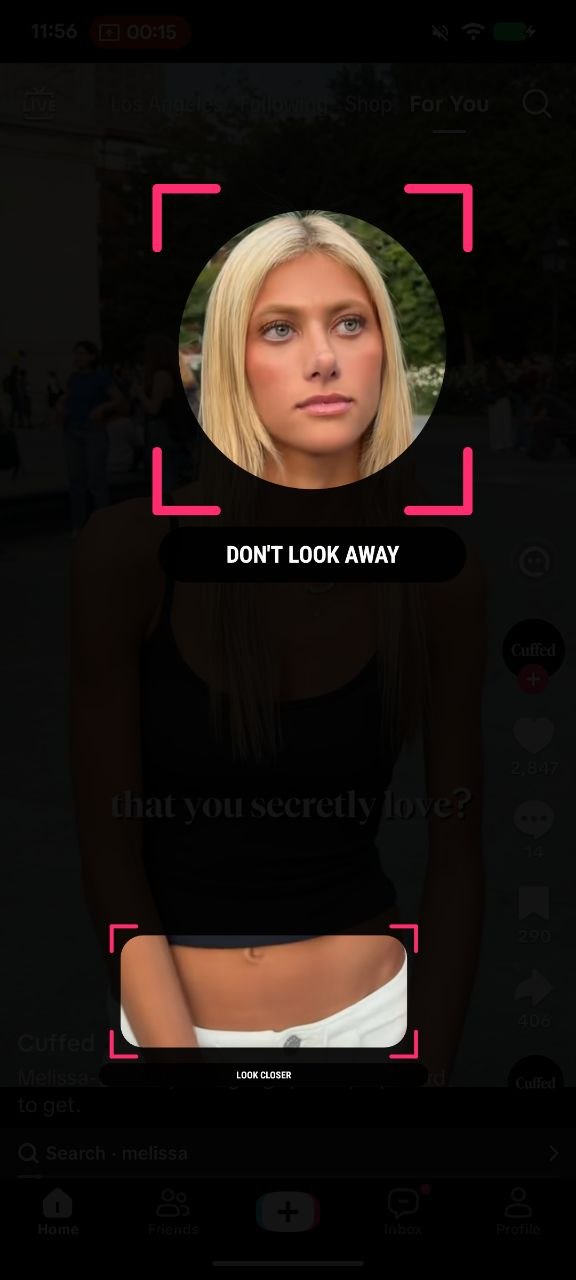
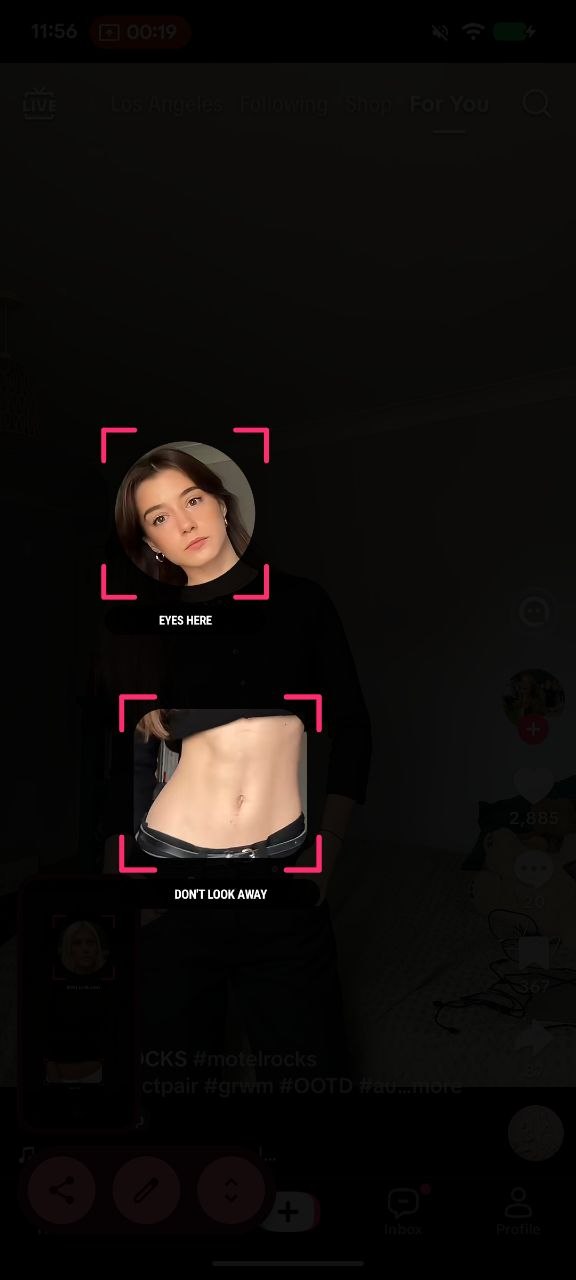
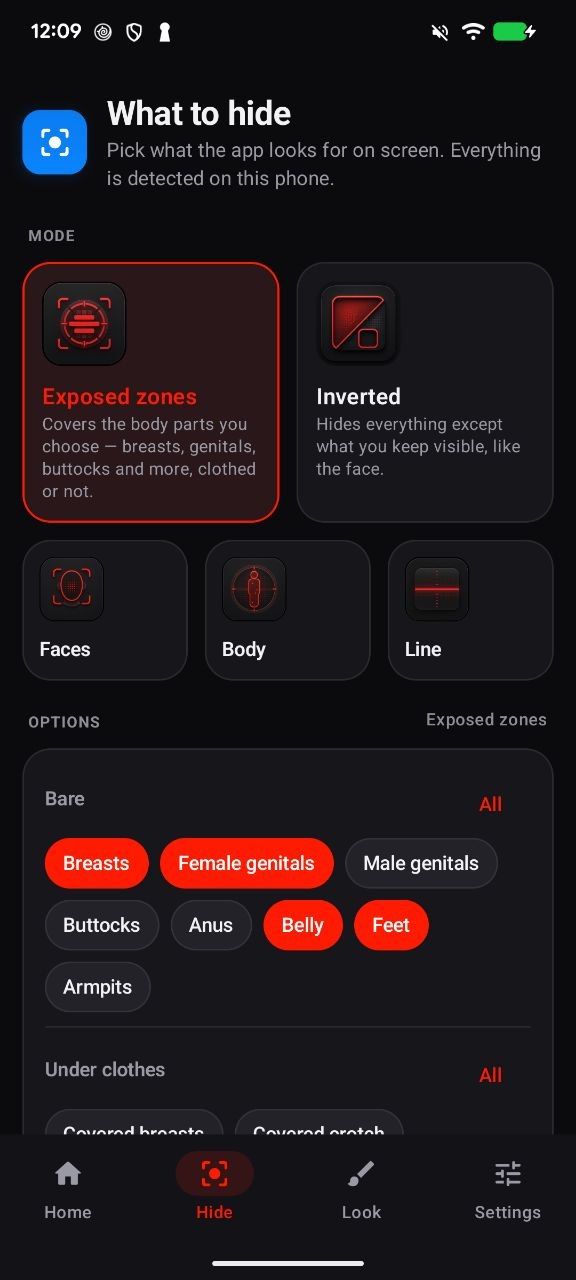
Beta Safe App is a real-time censoring tool for Android that blocks explicit content the moment it appears on your phone’s screen. It works on top of any app: browser, video player, social feeds, anything.
The moment something appears, it gets covered. No delay. No negotiation. You choose what gets blocked: pick a mode and a censor style, then hit Start Blocking.
Beta Blocker handles everything else quietly in the background.
Modes
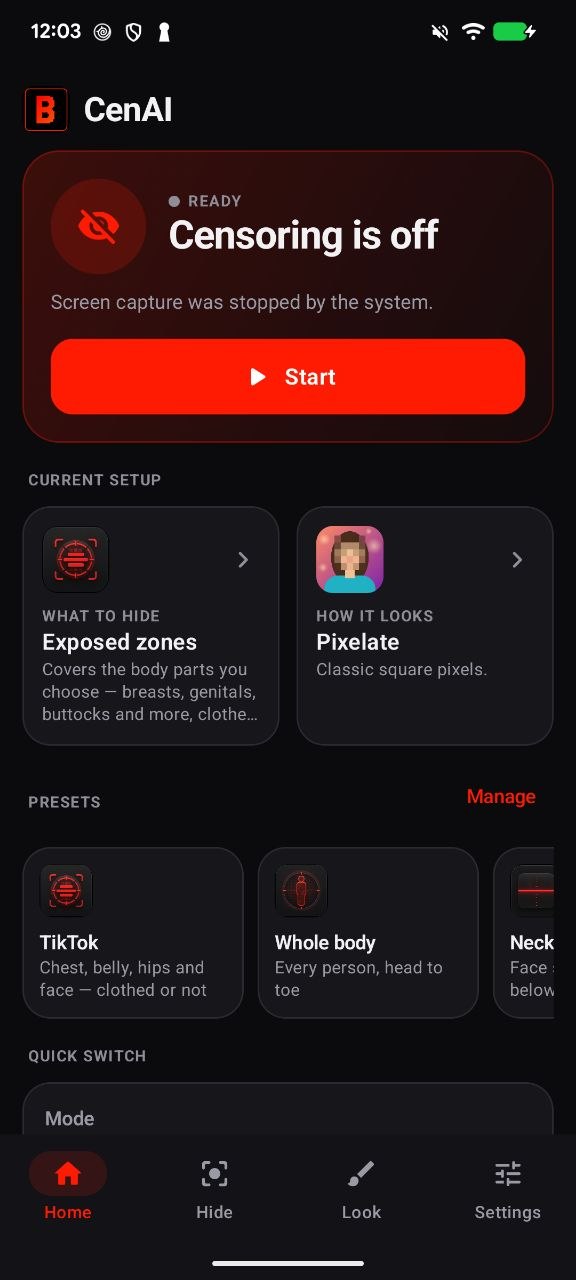
- Exposed zones: covers the body parts you select (breasts, genitals, butt, hips, thighs, arms, legs) from any angle or pose
- Inverted: blacks out everything except the face and the areas you choose to leave visible
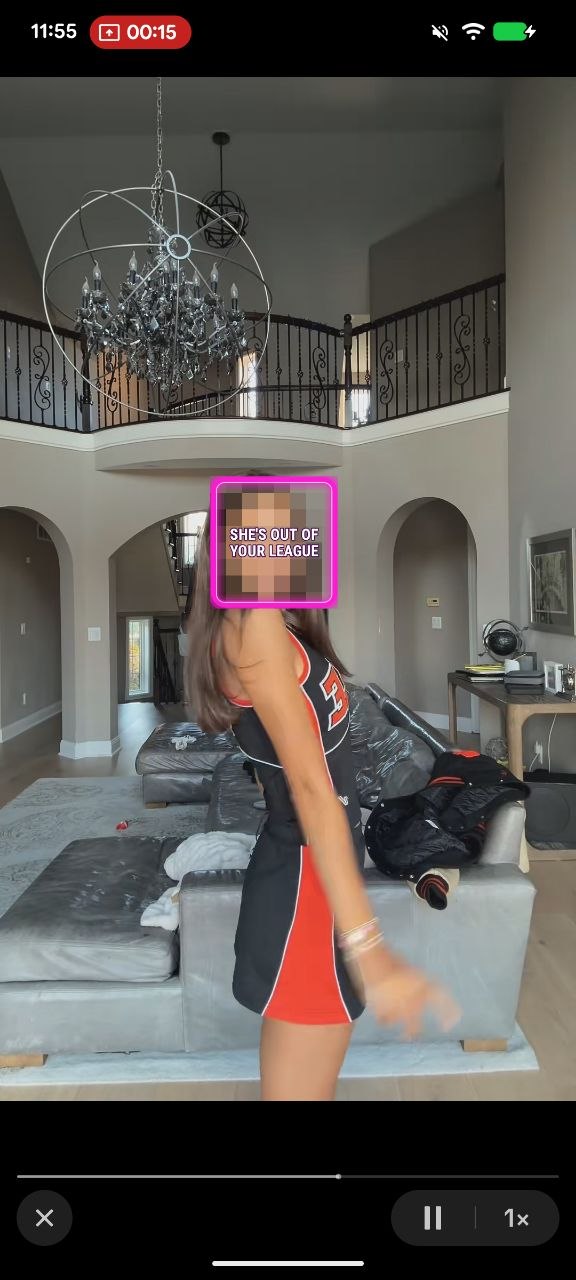
- Faces: hides the whole face, just the eyes, or the eyes and lips
- Body: covers the whole person, with the option to keep the face visible
- Line: hides everything below the neck
Censor styles
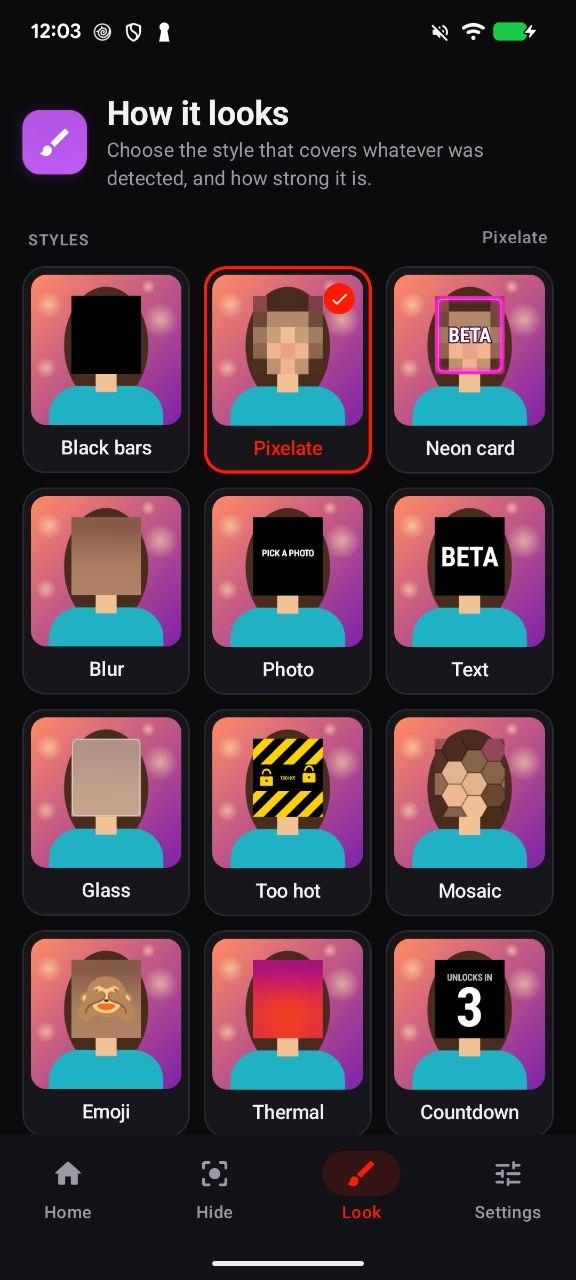
Black bars (8 colors), Pixelate, Blur, Mosaic, Glass, Neon card, Neon sign, Thermal, Grayscale, Emoji, Text, Stamp (censored / property of / barcode / QR), Countdown, Too hot, your own photo, plus Spotlight and Lock-on for Inverted mode.
Extras
- Built-in presets (TikTok, Whole body, Neck down, Strict, Faces, Eyes only, Only her face) and your own custom presets
- Random style, or presets that switch on a timer
- Settings lock: locks your settings and the Stop button for 5 to 60 minutes, so there is no turning it off halfway through
- Photo censoring: censor any picture from your gallery and save the result
- Quick Settings tile for starting with one tap
Private by design
All detection runs on your device. Nothing is recorded, saved, or uploaded, and there is no face recognition.
Requirements
Android 8.0 or newer, ARM device (almost all modern phones).
How to install
- Download the APK and open it. Allow installing from unknown sources if your phone asks.
- Open the app and follow the welcome guide.
- Turn on the Beta Safe App accessibility service. This is what makes the covers fully solid. On Android 13 and newer, first go to Settings › Apps › Beta Safe App › ⋮ › Allow restricted settings.
- Hit Start Blocking and allow screen capture.
DEMO version
The demo includes Faces mode with the Black and Pixel styles. All other modes, styles, presets, the settings lock, and photo censoring are unlocked in the full version. The demo installs alongside the full app.
More examples: https://www.betablock.app
Telegram: https://t.me/betasafeapp
Tiktok: https://www.tiktok.com/@betasafeapp (18+)
X: https://x.com/Mr_gerec (18+)
Redgifs: https://www.redgifs.com/users/alexandersegal (18+)
Purchase
In order to download this tool you must purchase it at or above the minimum price of $9.99 USD. You will get access to the following files:
Download demo
Leave a comment
Log in with itch.io to leave a comment.